azure-cost-health-check is published by Shayne Boyer from microsoft/azure-dev-tools, pinned to 40f89b5b3f0f01e9262cfec3ad361cf4ebb22905. Review the source before installing.
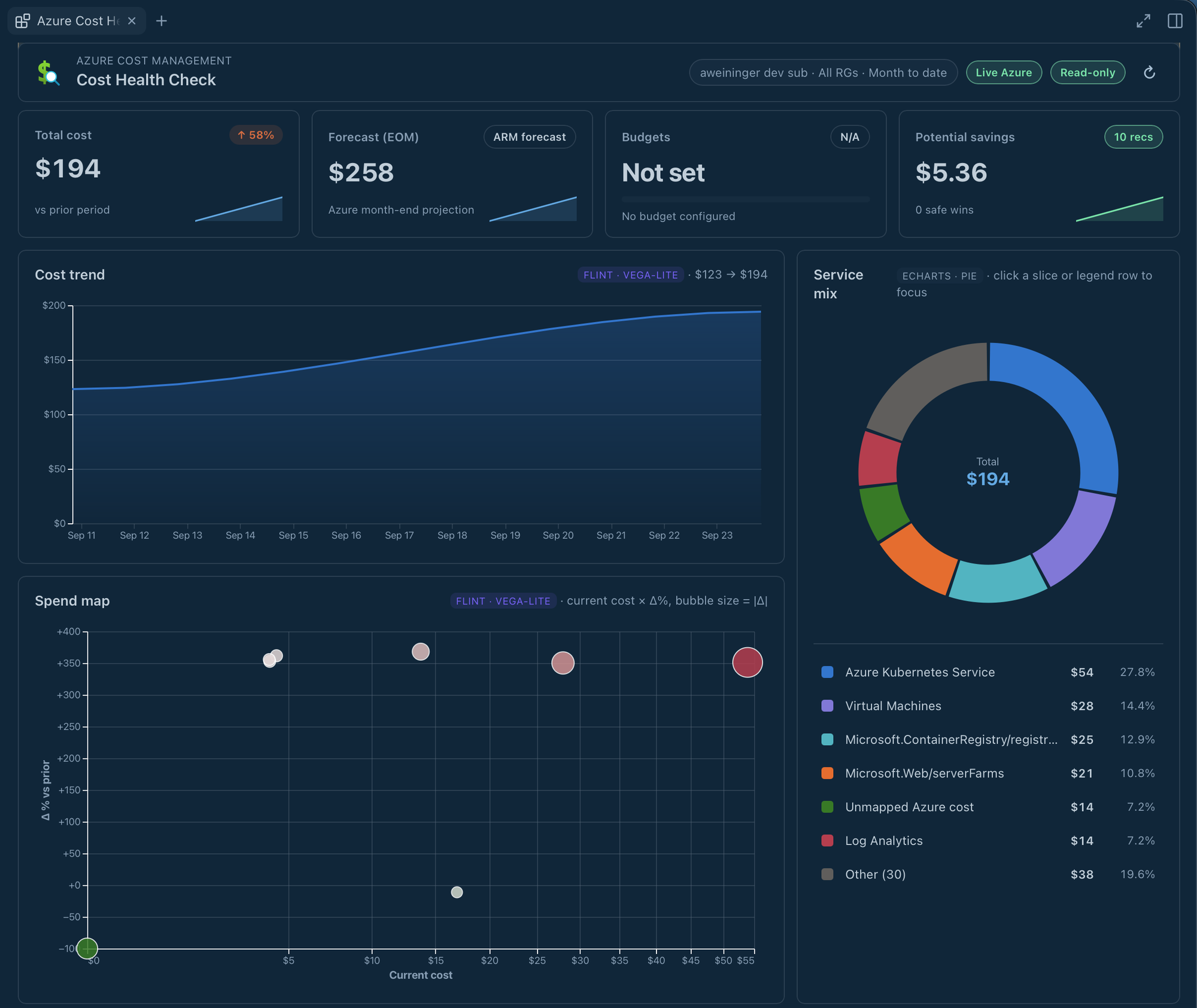
See Azure spend, forecasts, budgets, anomalies, Advisor recommendations, and AI billing together in a read-only Copilot dashboard.
Install
In GitHub Copilot, open Customize → Plugins, add the
microsoft/azure-dev-tools marketplace (ID azure-dev-tools) using the
marketplace gear, and install Azure Cost Health Check when available. The
full plugin includes its canvas and launcher skill. The CLI equivalent is:
copilot plugin marketplace add microsoft/azure-dev-tools
copilot plugin install azure-cost-health-check@azure-dev-tools
Reopen Copilot and start a new chat. You need Azure CLI 2.61+ signed in with
read access to the subscriptions and billing data you want to see.
After this version's release tags are published, the
canvas-only install folder
installs without the launcher skill. The
README at the latest tag
follows that moving tag; use the published
azure-cost-health-check-v0-4-5-bf89cc8 immutable tag to pin version 0.4.5.
Until the tags move, -latest still installs 0.4.3. See
installation notes for the full-plugin
version-pinned command and canvas-only safety guidance.
Try it
Ask Open Azure Cost Health Check in real mode for my subscription.
- Use Choose subscriptions to select the intended scope.
- Select Refresh and review Cost drivers, forecasts, native alerts, and AI billing.
- If sign-in fails, complete
az loginin a terminal and use Refresh subscriptions before trying Refresh again.
When you select new subscriptions and choose Apply, the picker closes immediately while the dashboard continues loading the selected scope. A loading or permission-limited section is not zero cost; remediation suggestions do not authorize writes.
What you can do
- Compare current spend with forecasts and budgets in one read-only dashboard.
- Spot anomalies, alerts, and Advisor recommendations that need attention.
- Review AI billing alongside other cost drivers without treating missing data as zero.
Prompts to try
Open Azure Cost Health Check in real mode for my subscription.
Open Azure Cost Health Check so I can review budget alerts and forecasted spend for my subscription.
For source builds, data coverage, and security behavior, see implementation notes.