azure-sre-agent is published by Paul Yuknewicz, Deepthi Chelupati from microsoft/azure-dev-tools, pinned to a1f00ec91e800233fe1b5d67c0814046aceac3fb. Review the source before installing.
Investigate failing Azure apps with your SRE Agent. Analyze KQL with your own sources, read your Inbox, and prepare Teams updates from the same chat.
Install
In GitHub Copilot, open Customize → Plugins, add the github/awesome-copilot marketplace, and install Azure SRE Agent when listed. Or use the marketplace commands:
copilot plugin marketplace add github/awesome-copilot
copilot plugin install azure-sre-agent@awesome-copilot
Browse the Awesome Copilot marketplace. The plugin source remains in microsoft/azure-dev-tools.
Reopen Copilot and start a new chat. Requires Azure CLI signed in and access to the resources you use.
Try it
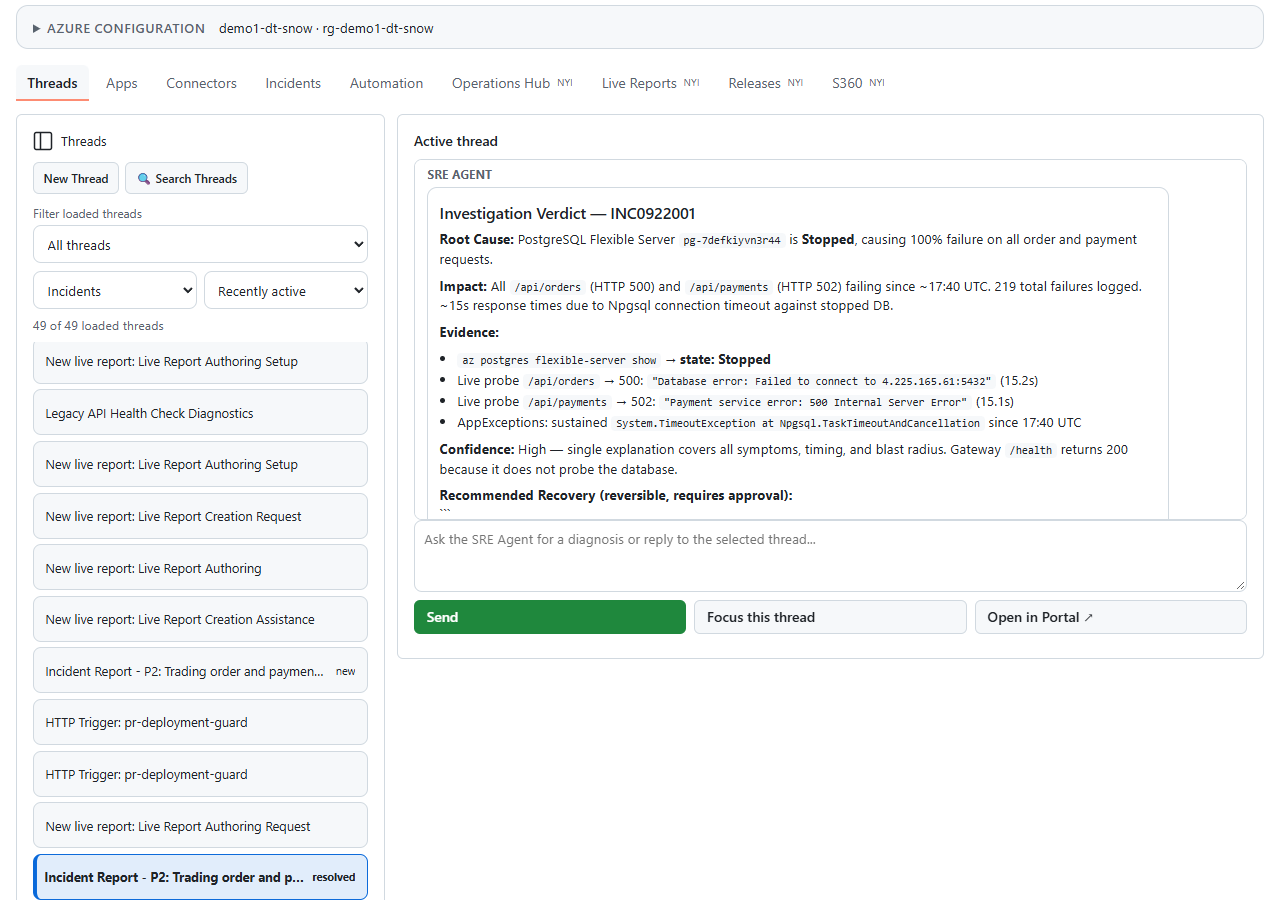
Ask Open SRE Agent Canvas. Choose an agent and app, then Diagnose with SRE Agent, or open an existing investigation. Browse Threads and inspect the selected Active thread. For a shared agent, use External URL or Resource ID. The star saves Favorites without connecting.
Choose Connect This Thread to continue an investigation in this Copilot conversation. For your own sources, open Connectors → Add Connector; no SRE Agent is required.
What you can do
- Investigations: diagnose apps, read evidence, start a New thread, and continue a connected investigation from chat.
- KQL: open an exact query in chat, explain or refine it, then approve a bounded read against your own Kusto, Logs or workspace-backed App Insights.
- Private Connectors: reuse authorized cloud connections or registered MCP providers. Kusto also accepts a known cluster URL and database.
- Inbox and Teams: read your Inbox without changing mail; preview Teams channel updates and real mentions before approving a post.
- Evidence sharing: review the destination investigation and redacted results before sending. Sharing results does not grant source access.
- Automation: inspect scheduled tasks and HTTP triggers.
Opening a query or adding a connector does not read content, send messages, or approve an SRE execution.
Copilot CLI
Compatible Copilot CLI extension runtimes expose this plugin's registered
sre_personal_* tools directly, without Azure MCP. The visual panel and SRE
investigation actions need a canvas-capable host. See
usage and CLI support for the supported tool path and limits.
Prompts to try
My app is failing. Open SRE Agent Canvas.
Investigate checkout-api app with my SRE Agent.
Open this SRE Agent external share link and help me connect.
Draft an incident handoff from the connected investigation.